Start
Welcome to OCTOVO
What OCTOVO is and how this help is organised.
On this page
OCTOVO is your AI assistant for office work, on the Mac and on Windows, with an app for the iPhone. It goes through your mail, knows your appointments, writes drafts and carries out jobs. Before anything important goes out, it asks you. Your assistant is called “Otto” at first. You can change the name at any time, so this help simply says “your assistant”.
The app at a glance
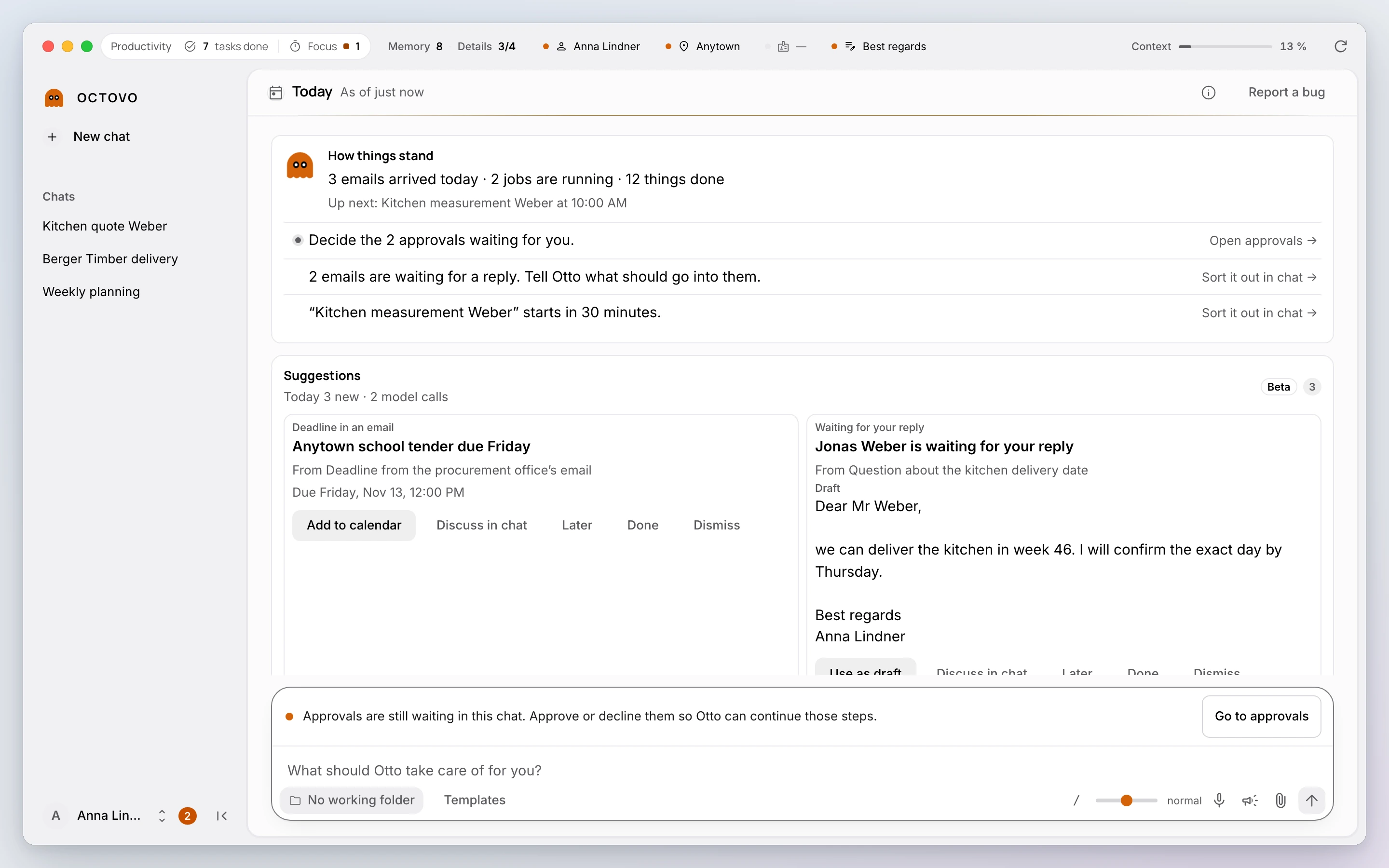 Windows
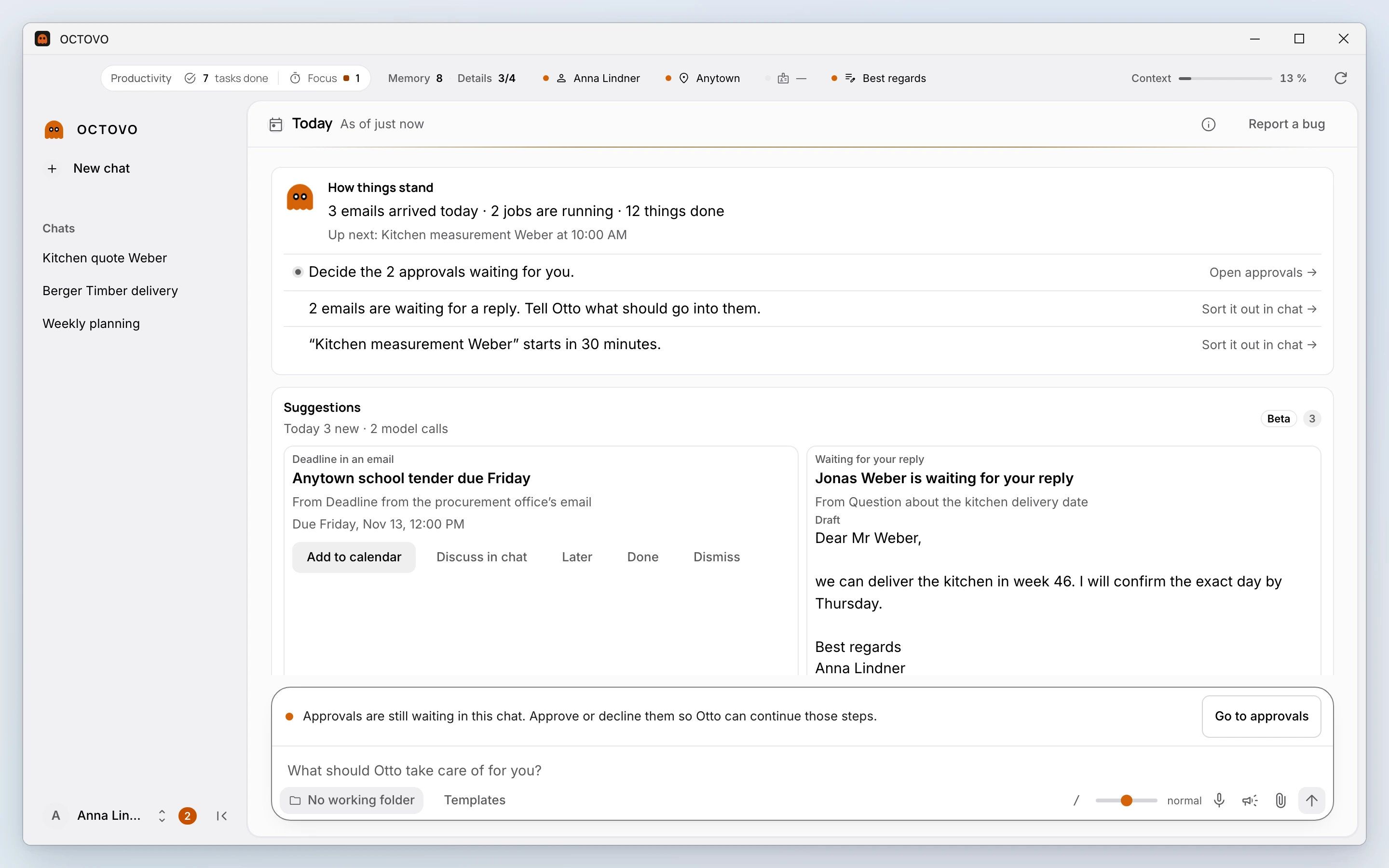
After starting, you land on “Today”. On the left is the sidebar with every area, in the middle your day board.
What you see:
- Sidebar leads to every window, grouped into “General”, “Knowledge” and “Operations”.
- New chat opens a fresh conversation with your assistant.
- Today your day board with appointments, mail, jobs and approvals.
- Account menu at the bottom of the bar: usage, settings, approvals, connectors.
How this help is organised
The areas follow the path you take in the app: set up first, then keep track of your day, then work with your assistant. Where Mac and Windows differ, you will find separate boxes. At the very end there are solutions for common problems and frequently asked questions.