Account, plan and billing
Allowance
How much you have used this month.
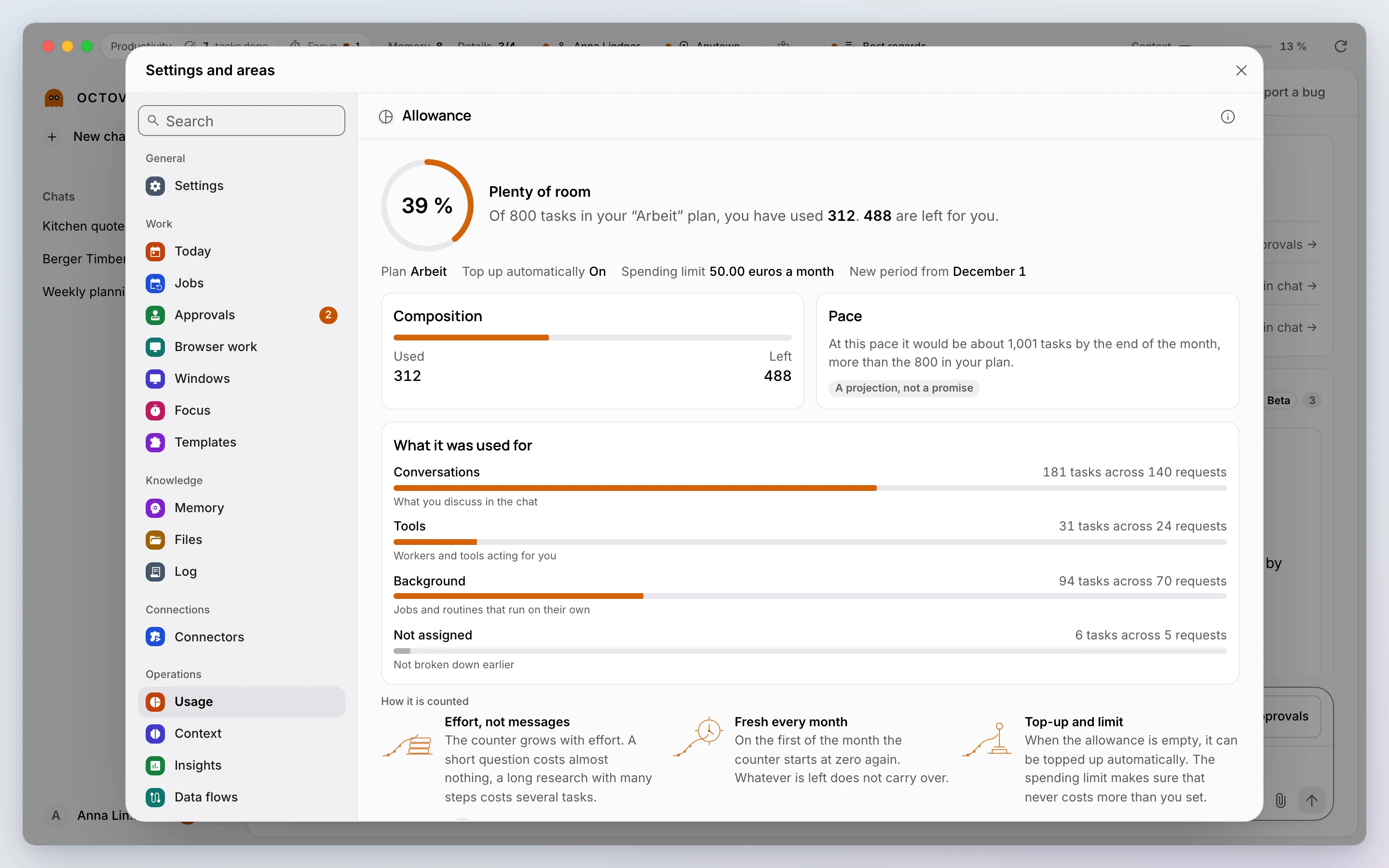
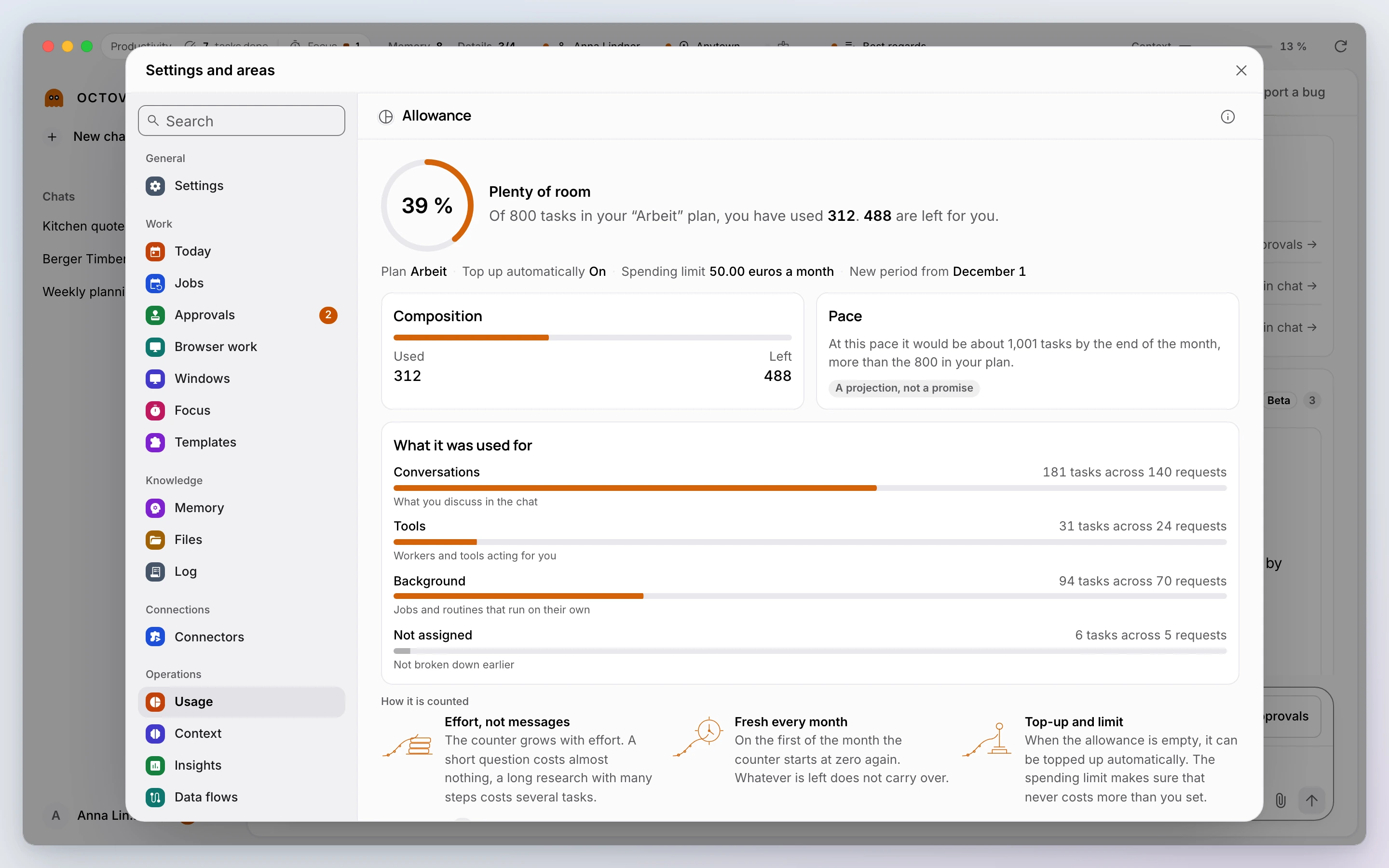
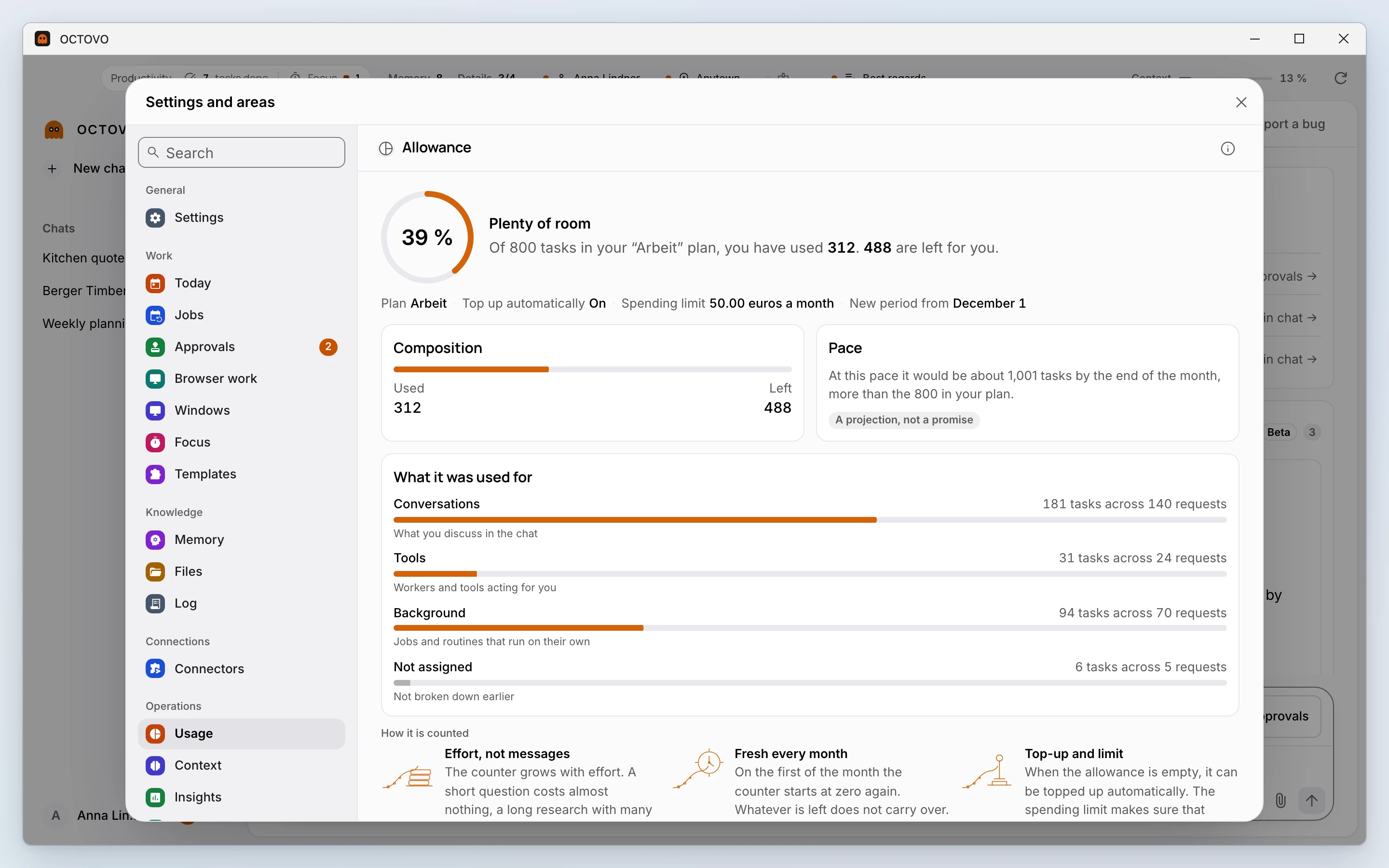
Every plan includes an allowance of tasks per month. In the “Allowance” window (sidebar, “Operations”) you see how much is used and what for.
This month’s state
 Windows
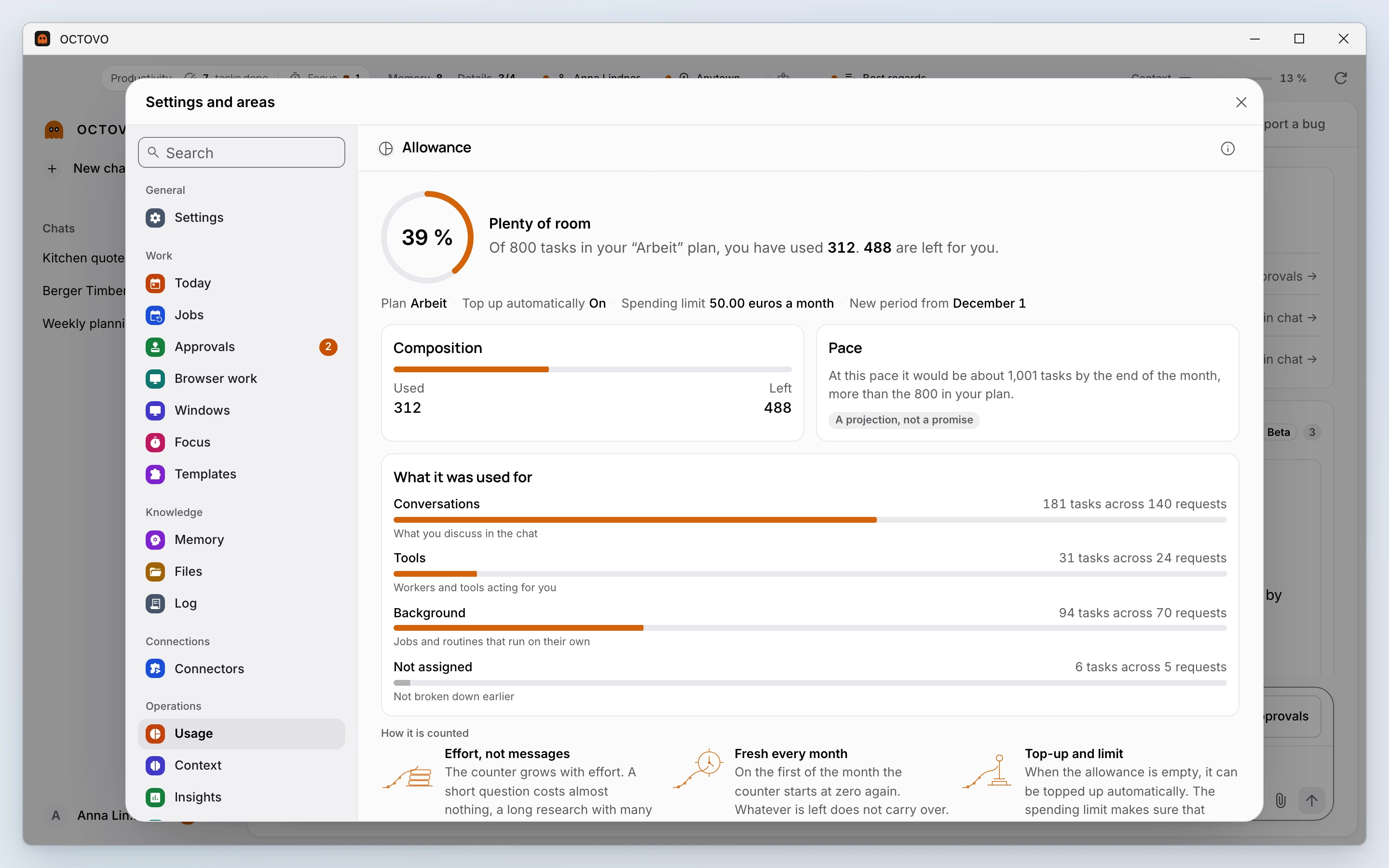
A ring shows usage in percent, next to it you read in words how things look. Counting goes by effort, not by messages: a short question costs almost nothing, a long piece of research several jobs. With the new period the counter starts again at zero, anything left over is not carried forward. The date is shown under “New period from”.
What you see:
- Used / Left the number of used and remaining jobs.
- State “Plenty of room”, “Well within”, “Getting tight” or “Used up”.
- Pace a projection to the end of the month, from the third day of the month.
What it was used for
 Windows
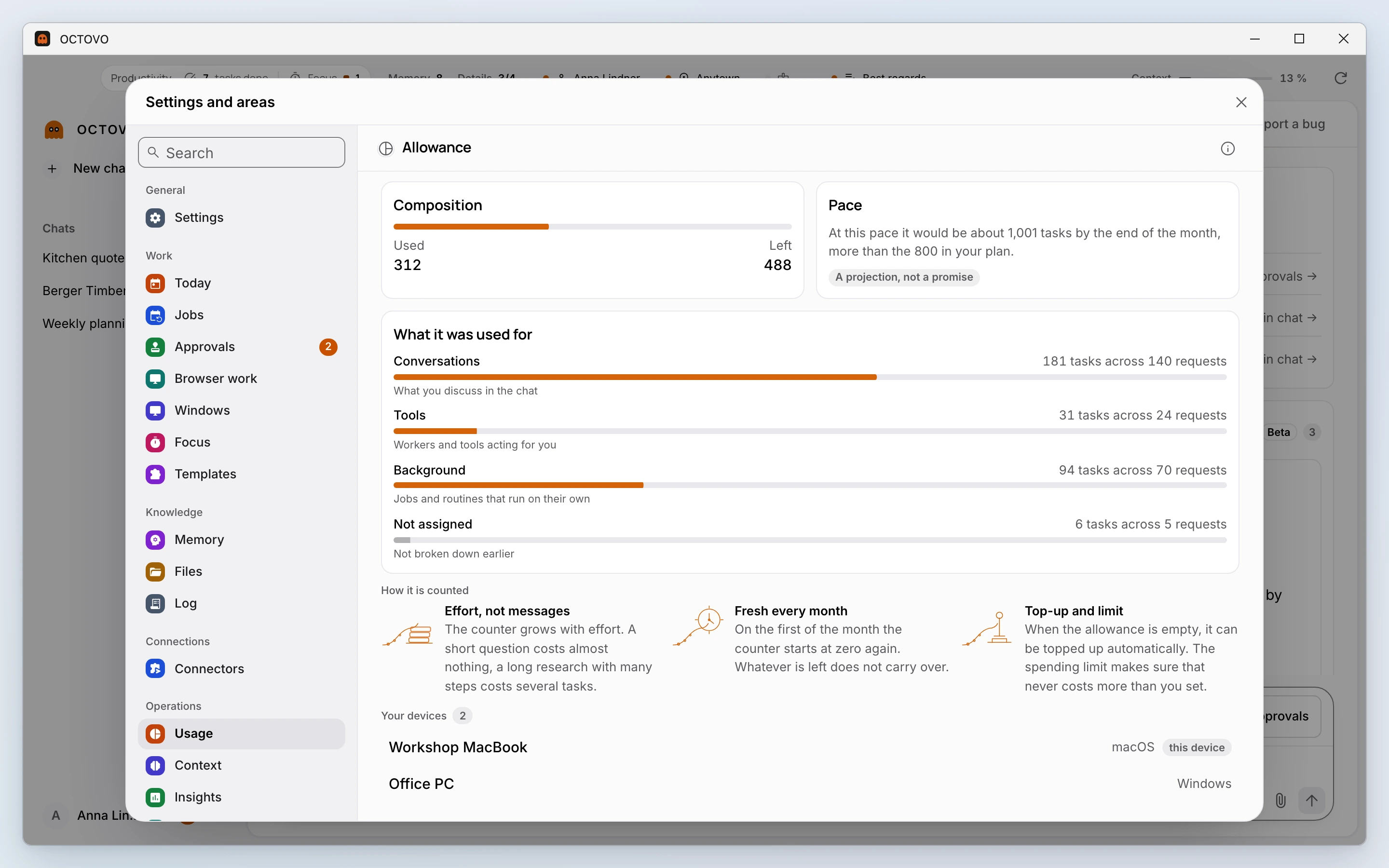
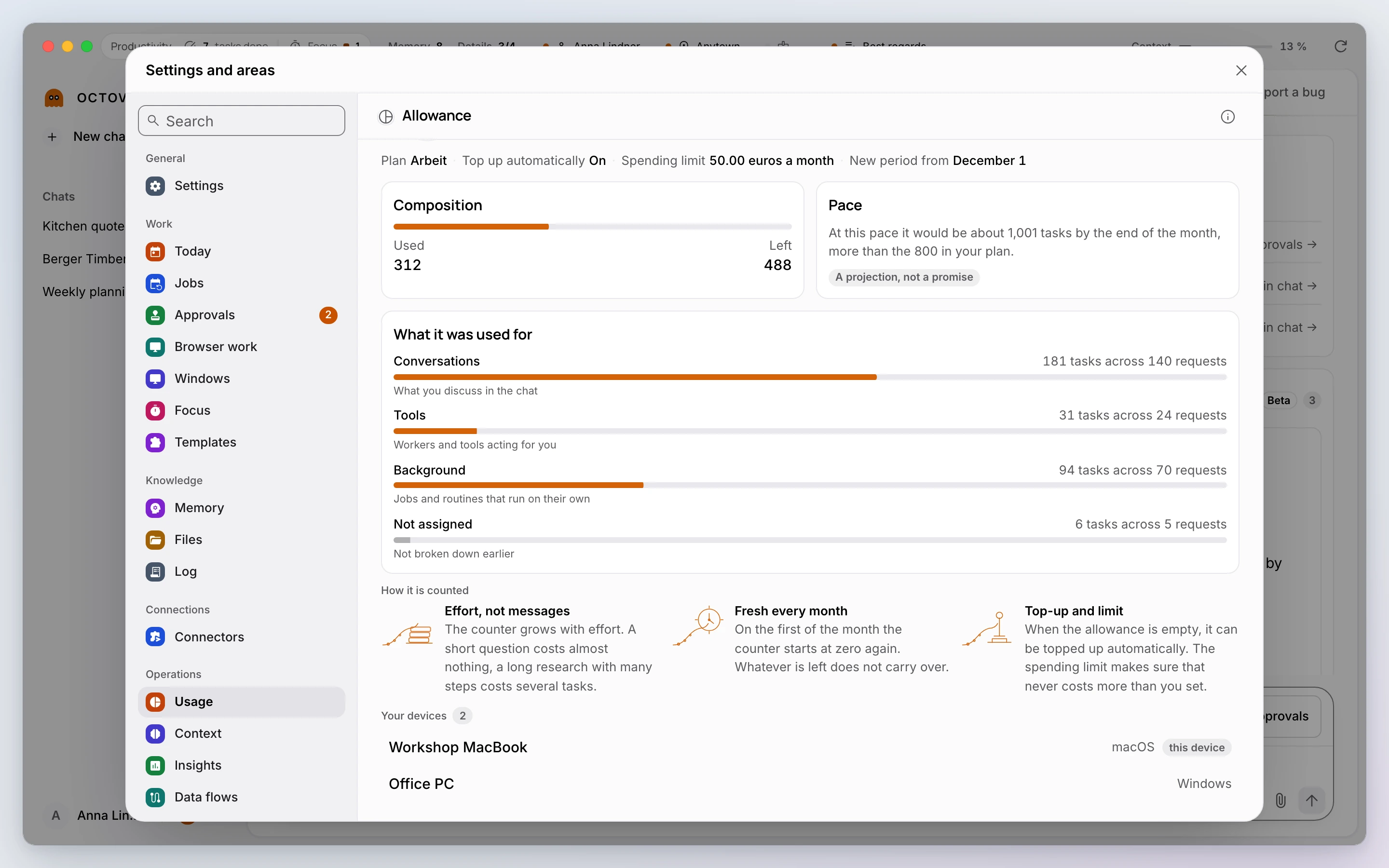
The breakdown shows where usage comes from.
What you see:
- Conversations what came from the chat.
- Background work your assistant did on its own.
- Tools workers and tools that worked for you.
- Not assigned what could not be assigned to a source.
Top up automatically
 Windows
When the allowance is empty, it can be topped up automatically. The spending limit sets the most it may cost in euros per month. If top-ups are off, your assistant tells you when nothing is left.
What you see:
- Top up automatically switches top-ups on or off.
- Spending limit the upper limit in euros per month.
- See plans opens the plans page in the browser.
- Your devices shows the devices signed in to your account.